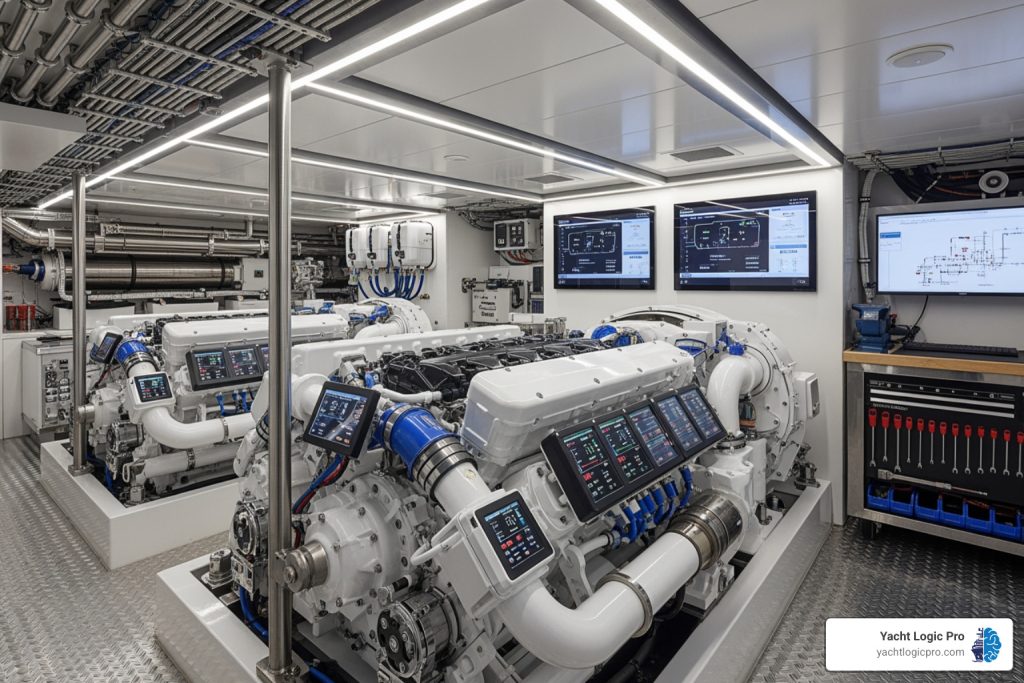

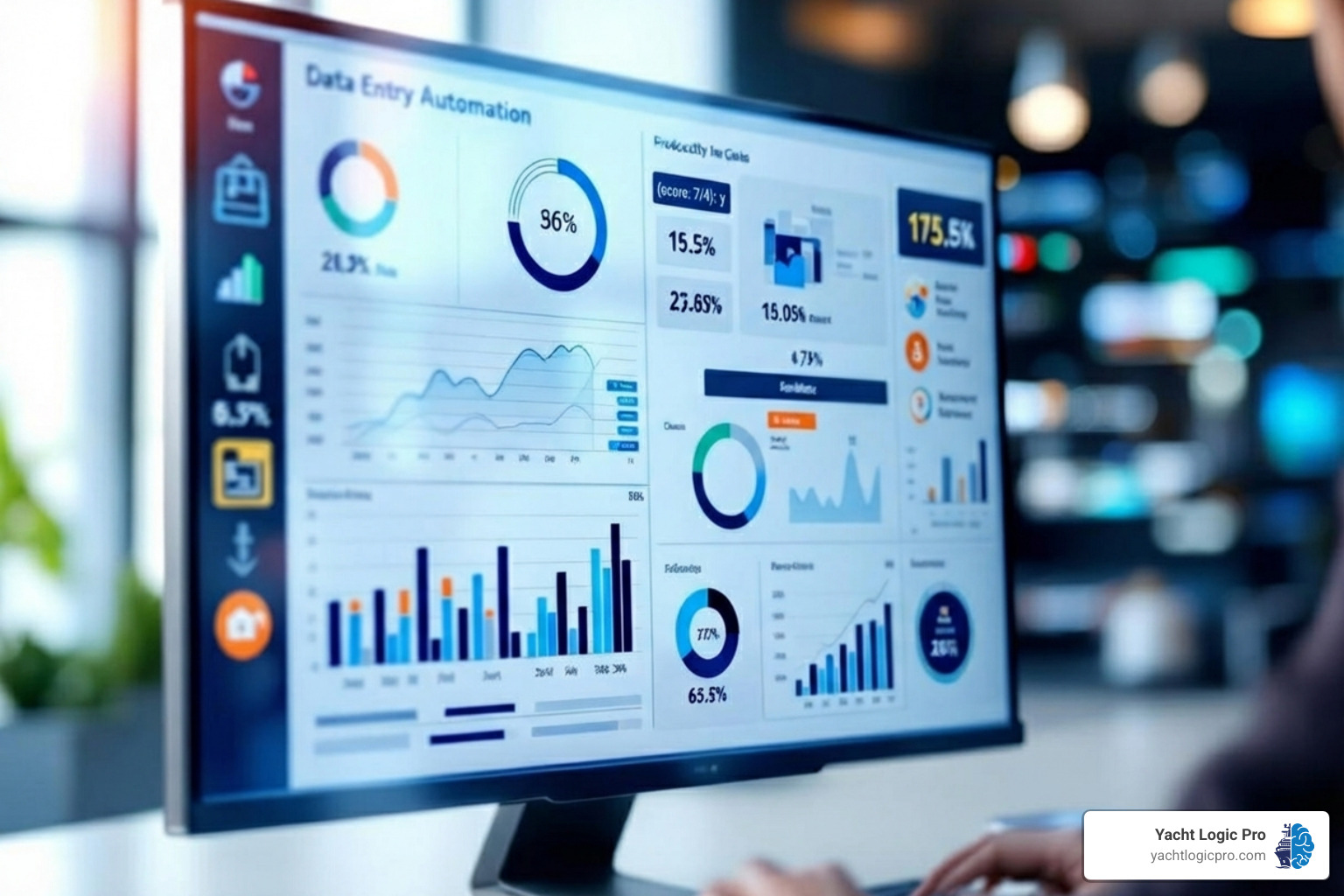
Why Manual Data Entry Is Costing You More Than You Think
Automated data entry is the use of technology—like AI, OCR, and machine learning—to capture, extract, and input data from documents or forms into your business systems without human typing. Instead of manually keying in invoice details, service records, or customer information, software does it for you: faster, more accurately, and with less cost.
Quick Answer: What is Automated Data Entry?
- What it does: Extracts data from documents (PDFs, emails, images) and enters it into databases, spreadsheets, or business software
- How it works: Uses OCR (Optical Character Recognition), AI, and machine learning to read and interpret text
- Where it helps: Invoices, purchase orders, forms, receipts, customer records, maintenance logs
- Key benefits: Up to 99% accuracy, 30%+ efficiency gains, reduced labor costs, happier employees
If you’ve ever spent hours typing vendor invoices into your accounting system, chasing down missing fields on service forms, or reconciling errors from manual entry, you already know the problem. Manual data entry is slow, error-prone, and expensive. In fact, research shows that manual data entry produces roughly 4 errors per 100 entries—and in marine operations, where precision matters for compliance, billing, and safety, even one mistake can snowball into lost revenue or regulatory headaches.
The good news? Automation technology has advanced to the point where even complex, unstructured documents—like handwritten work orders or scanned receipts—can be processed with minimal human intervention.
I’m Kevin Kates, founder of Yacht Logic Pro, and throughout my career in yacht management and marine operations, I’ve seen how eliminating manual data entry transforms businesses—freeing crews and managers to focus on service delivery instead of paperwork. Automated data entry isn’t just a tech trend; it’s a strategic shift that directly impacts profitability, accuracy, and team morale.
The High Cost of Sticking with Manual Data Entry
Manual data entry is a losing battle against the sheer volume of information businesses handle today. The costs aren’t just monetary; they ripple through your operation, eroding efficiency, accuracy, and employee morale.
One of the most glaring issues is human error. As the intro highlighted, manual data entry produces roughly 4 errors per 100 entries. For a yacht, a misplaced decimal on an invoice or an incorrect date on a maintenance log can lead to billing disputes, compliance violations, or safety hazards. These mistakes escalate into financial losses and reputational damage, as we’ve explored in our article on The Hidden Costs of Manual Yacht Maintenance Tracking.
Beyond errors, manual processes are inherently slow and expensive. Every minute an employee spends keying in data is a minute not spent on high-value tasks like client service or strategic planning. This creates bottlenecks, delays decisions, and leads to high operational costs as you pay staff for repetitive work and then pay again to fix the resulting errors. This tedious work also drains employee morale, leading to low job satisfaction and high turnover.
Furthermore, manual data handling introduces security risks. Paper documents can be lost or stolen, and manually transferring digital files can create insecure pathways, exposing sensitive information. Finally, manual processes don’t scale. As your business grows, you’re forced to hire more staff just to keep up, creating an unsustainable model that hinders expansion.
Why Manual Processes Can’t Keep Up
The modern business world is drowning in data, and manual processes can’t handle the deluge. The primary challenge is unstructured data. According to IDC, 80% of global data is unstructured—emails, scanned documents, and handwritten notes that don’t fit neatly into spreadsheets.
Manual entry struggles to process these inconsistent formats, leading to a chaotic mess of data that’s impossible to analyze effectively. The result is a lack of real-time insights. If it takes days to process information, the opportunity to act has passed. In a dynamic industry like marine services, delayed insights can be fatal. Embracing automated data entry is crucial for accessing, analyzing, and acting on data quickly to maintain a competitive advantage.
How Automation Technology Works
So, how do we escape the quicksand of manual data entry? The answer lies in sophisticated automation technology that mimics and improves on human capabilities. At its core, automated data entry uses a series of interconnected technologies to transform raw information into structured, usable data.
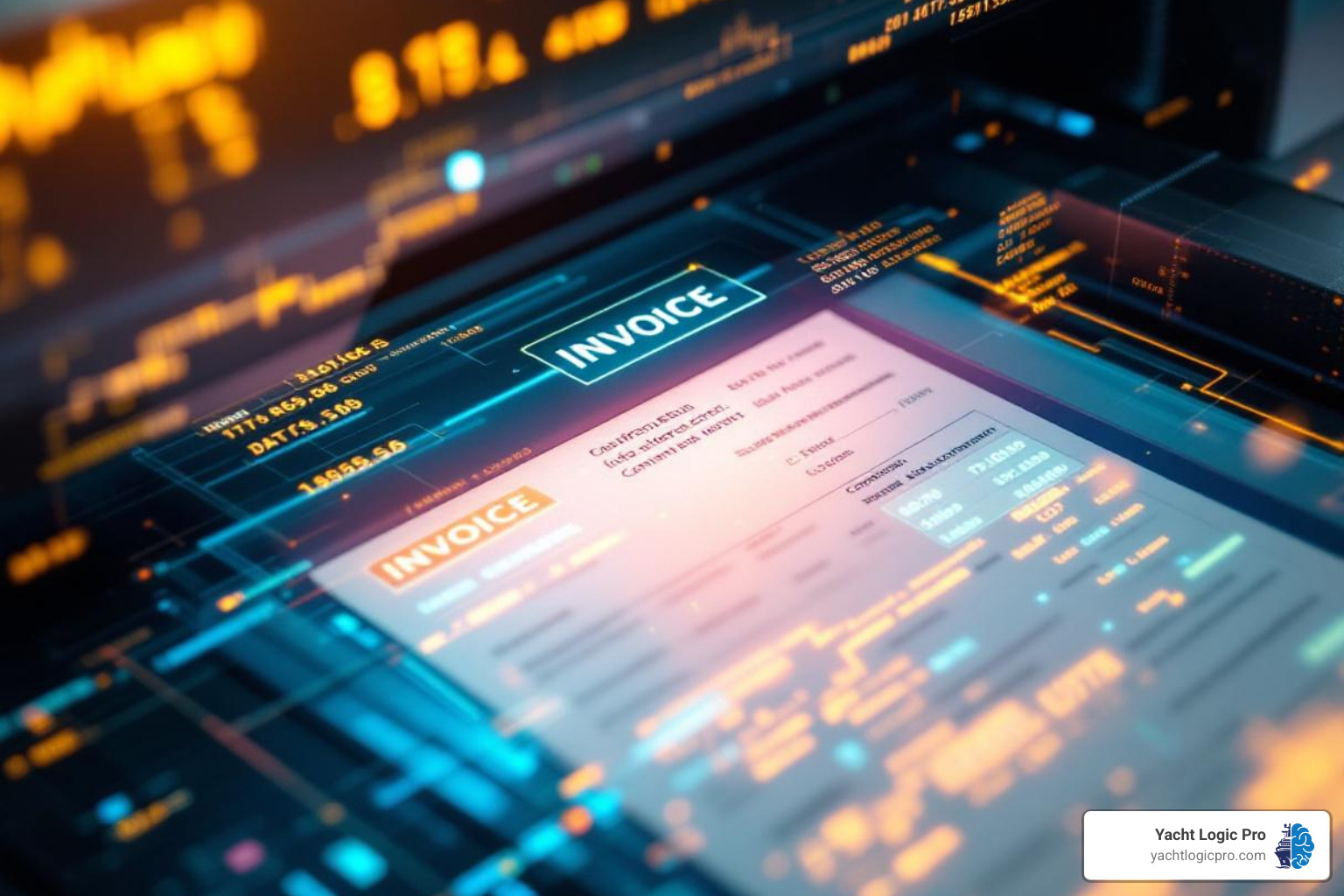
The process involves data extraction (pulling relevant information), data validation (checking for accuracy), and data input (sending it to the destination system), all orchestrated by workflow automation. This entire sequence can happen in seconds.
The Role of OCR, AI, and Machine Learning
The magic behind modern automated data entry relies on a powerful trio of technologies:
- Optical Character Recognition (OCR): The foundation. OCR software “reads” text from images or PDFs and converts it into machine-readable data. Modern AI-powered OCR can handle various fonts, layouts, and even some handwriting.
- Artificial Intelligence (AI): The brain. AI understands context, identifying what a “vendor name” or “delivery date” is, even if the document layout changes. This is crucial for processing unstructured documents.
- Machine Learning (ML): The learning ability. ML allows the software to improve over time. When a user corrects an error, the system learns from it, becoming smarter and more accurate with every document processed. This continuous learning makes modern solutions incredibly powerful.
Other key technologies include Natural Language Processing (NLP) for understanding human language in text-heavy documents, Intelligent Document Processing (IDP) which combines these tools to process complex documents, and Robotic Process Automation (RPA) for automating rules-based tasks.
From Document to Database: A Typical Workflow
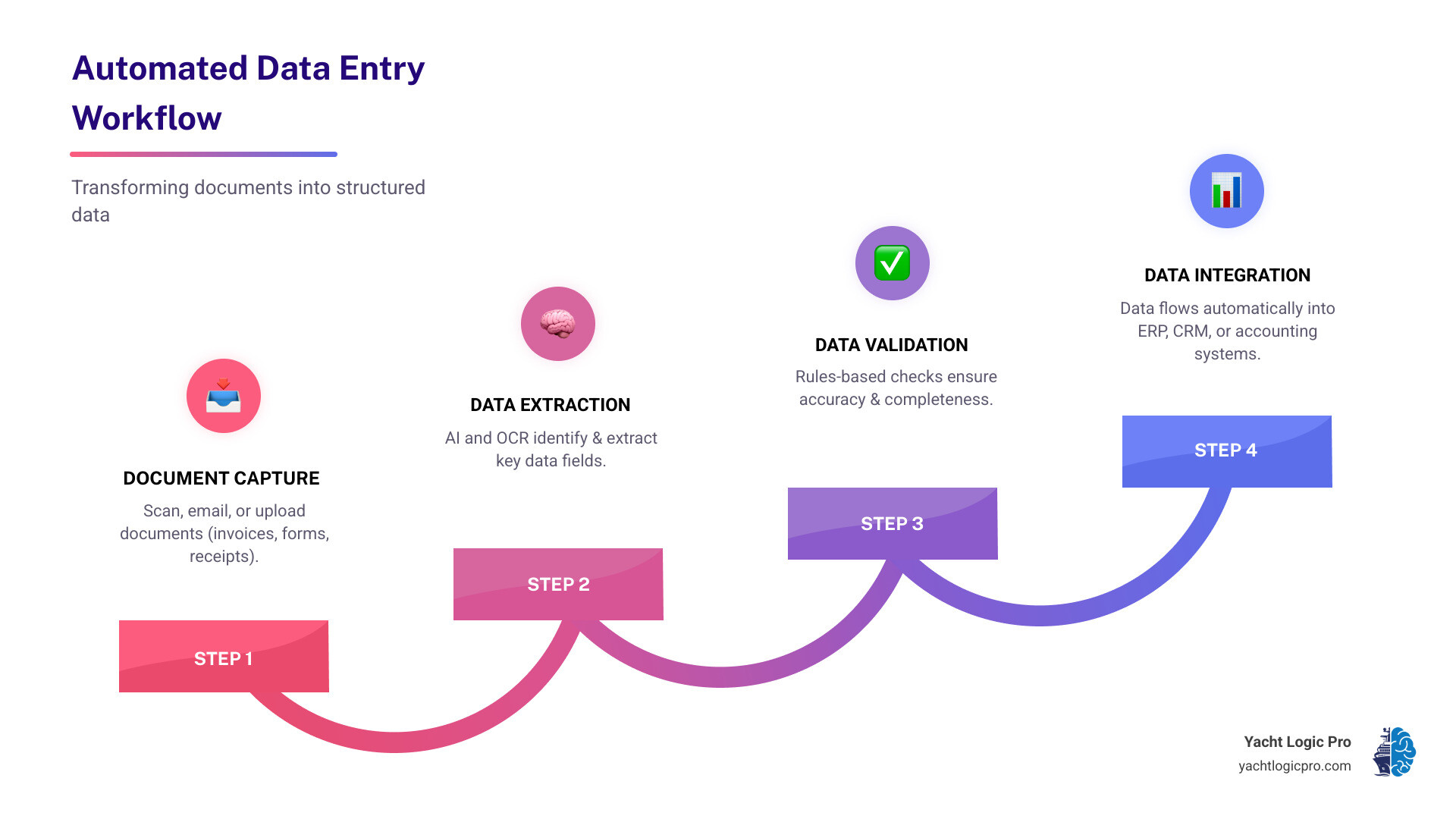
Let’s walk through a typical automated data entry workflow:
- Data Capture (Scan, Email, Upload): The process begins when a document enters the system, whether it’s a scanned paper, an email attachment, or a file upload. For marine businesses, this could be a vessel log or parts invoice.
- Data Extraction (AI Identifies Key Fields): The document is sent to the IDP engine. OCR reads the text, and AI/ML algorithms intelligently identify and extract specific data points like vendor name, invoice number, dates, and amounts.
- Data Validation (Rules-Based Checks): The extracted data is checked for accuracy. This can involve cross-referencing databases (e.g., checking a vendor ID) or applying business rules (e.g., totals match line items). Any suspicious data is flagged.
- Data Integration (Export to ERP/CRM): Once validated, the clean data is automatically sent to your target systems—ERP, CRM, accounting platform, or a custom database. This eliminates manual keying and ensures data consistency.
Modern systems often include human-in-the-loop verification. If the AI’s confidence is low, the document is routed to a human for a quick review. The system learns from this correction, ensuring both speed and precision.
Open uping Key Business Benefits with Automated Data Entry
The shift from manual to automated data entry isn’t just about new technology; it’s about open uping benefits that can fundamentally transform your business, moving from reactive problem-solving to proactive growth.
Let’s look at a clear comparison:
| Feature | Manual Data Entry | Automated Data Entry |
|---|---|---|
| Speed | Slow, bottleneck-prone | Instantaneous, real-time |
| Accuracy | Prone to human error (4 errors/100 entries) | Near-perfect (99%+), learns and improves |
| Cost | High labor, error correction, missed opportunities | Lower operational, higher ROI |
| Employee Satisfaction | Tedious, demotivating | Engaging, empowering, higher morale |
| Scalability | Limited, requires more hiring | Highly scalable, handles increasing volume easily |
| Data Quality | Inconsistent, fragmented | Consistent, structured, real-time insights |
This table illustrates how automated data entry increases productivity. By taking over the grunt work, automation frees up your team to focus on tasks requiring critical thinking and customer interaction. This is why Why Data-Driven Yacht Service is the Future of the Marine Industry is so important; automation provides the clean data needed for strategic decisions, resulting in dramatically improved data quality.
Boost Speed, Accuracy, and Cost-Efficiency
One of the most immediate benefits is the drastic reduction in processing time. Tasks that took hours can be done in minutes. This speed, coupled with a leap in accuracy to over 99%, means fewer errors to correct and more reliable data.
The combination of speed and accuracy directly translates into lower labor costs and a significant return on investment, with some businesses improving efficiency by over 30%. Faster processing also empowers faster decision-making, giving managers real-time insights to react quickly to market changes and improve operational agility.
Improve Employee Satisfaction and Focus
Perhaps the most underrated benefit is the impact on your team. By eliminating tedious work, automation frees employees from monotonous data entry.

Imagine your team focusing on high-value tasks: technicians on critical repairs, managers on client relationships, and administrative staff on optimizing workflows. This shift leads to a significant boost in employee morale and engagement. Increased job satisfaction improves employee retention and fosters a more innovative workforce. By empowering your team, you’re cultivating a more dynamic and productive company culture.
A Practical Guide to Implementing Automation
Implementing automated data entry can be a smooth, transformative journey with a strategic approach. A phased implementation is often the most successful, allowing you to start small, learn, and then scale your efforts. This minimizes disruption and maximizes success.
Effective change management is central to this process. Communicate the benefits, address concerns, and involve employees. The goal isn’t to replace people but to empower them by automating the mundane.
Step 1: Identify and Prioritize Your Data Entry Tasks
First, pinpoint where automation will have the greatest impact. Analyze your workflows and ask:
- Where are our biggest data flow bottlenecks?
- Which tasks are the most repetitive and error-prone?
- What data entry directly impacts critical operations?
Common use cases include invoice processing, forms processing, expense reports, and CRM data updates. For marine businesses, this could mean automating parts orders, service work orders, or vessel inspection checklists. Prioritize high-volume, repetitive tasks where errors have significant consequences.
Step 2: Choosing the Right Automated Data Entry Solution
Selecting the right software is crucial. Find one that aligns with your needs and budget. Our guide on What to Look For in Yacht Service Management Software: A Buyer’s Checklist offers criteria that apply here as well. Consider the following:
- Scalability: Can the solution grow with your business and handle increasing data volumes?
- Ease of Use: Is the interface intuitive? Many modern solutions offer no-code platforms that are accessible to business users without extensive IT knowledge.
- Integration Capabilities: Does the solution integrate seamlessly with your existing CRM, ERP, and accounting software?
- Customization Options: Can you tailor the solution to your unique documents and business rules?
- Vendor Support: Does the provider offer responsive support during implementation and beyond?
When evaluating, look for solutions that offer free trials or demos so you can test them in your specific environment. Leading solutions leverage AI and IDP to offer robust capabilities for financial document processing or comprehensive forms processing with high accuracy rates.
Step 3: Integrating with Your Existing Business Systems
The true power of automated data entry is realized when it integrates seamlessly with your existing business systems. This is typically achieved through API connections (Application Programming Interfaces), which allow different software applications to communicate and exchange data.
A modern solution should ensure smooth data flow into your:
- ERP (Enterprise Resource Planning) Systems
- CRM (Customer Relationship Management) Software
- Accounting Platforms
For marine businesses, this means a completed work order can automatically update client invoices, adjust parts inventory, and log the vessel’s service history. As we emphasize in From Dock to Dashboard: How Yacht Logic Pro Connects Your Entire Marine Team, an integrated system is the backbone of a streamlined operation.
Measuring Success and Ensuring Security
Implementing automated data entry is an investment, and it’s crucial to measure its impact and ensure it’s delivering returns. This involves tracking Key Performance Indicators (KPIs) that reflect the benefits of automation. Simultaneously, robust data security and regulatory compliance are non-negotiable.
How to Measure the ROI of Your Automated Data Entry
Quantify the improvements across various operational metrics to measure your Return on Investment (ROI):
- Time Savings: Calculate the difference in processing time per document before and after automation to determine labor cost savings.
- Error Rate Reduction: Compare error rates before and after automation. A significant drop means less rework and higher data integrity.
- Cost Per Document: Calculate the fully loaded cost (labor, error correction) of processing a document manually versus automatically.
- Employee Productivity: Monitor how much more high-value work (e.g., client interactions, strategic tasks) employees accomplish. Some businesses report productivity increases of up to 400%.
- Faster Cycle Times: Measure how quickly critical processes, like invoice payments or client onboarding, are completed.
Tracking these metrics will demonstrate the tangible value of your investment and guide future automation efforts.
Critical Security and Compliance Considerations
Automating data flow requires a focus on security and compliance to protect sensitive information.
- Data Encryption: Ensure data is encrypted both in transit (as it moves between systems) and at rest (when stored).
- Access Controls: Implement role-based access controls so only authorized personnel can access specific data or workflows.
- Audit Trails: Your solution should maintain comprehensive audit trails that log all actions for accountability and compliance.
- Regulatory Compliance (GDPR, HIPAA): If you handle personal or health information, ensure your solution adheres to regulations like GDPR and HIPAA.
- Secure Data Storage: Verify the security measures of your data storage location, whether in the cloud or on-premise.
Prioritizing security allows you to leverage automation with confidence, knowing your data is protected.
Frequently Asked Questions about Automated Data Entry
We know that diving into automation can bring up a lot of questions. Let’s tackle some of the most common ones.
How accurate is automated data entry?
Modern AI-powered systems can achieve accuracy rates exceeding 99% for clear, structured documents. However, accuracy is affected by:
- Image Quality: Blurry or low-resolution scans are harder for OCR to read.
- Document Complexity: Complex layouts can be more challenging than standardized forms.
- Continuous Learning: Systems with machine learning improve over time by learning from corrections.
- Human Verification: A “human-in-the-loop” approach, where low-confidence extractions are flagged for review, ensures final data is accurate.
In short, automated systems are significantly more accurate than manual entry and are constantly improving.
Can automation handle handwritten documents?
Yes, with some limitations. Advanced OCR includes Intelligent Character Recognition (ICR) to interpret handwriting, but accuracy depends on legibility.
- Clear, printed handwriting yields higher accuracy than messy or cursive script.
- ICR is most effective on structured forms where the system has context for the data fields.
- For critical data from handwritten sources, human review remains a valuable safeguard to ensure accuracy.
What are the most common use cases for data entry automation?
Automated data entry has vast applications across nearly every industry. Some of the most common use cases include:
- Accounts Payable: Extracting data from invoices and purchase orders and routing it to accounting systems.
- Human Resources: Capturing new employee data from onboarding forms and timesheets for HRIS or payroll software.
- Sales: Populating CRM systems with new lead information from web forms, emails, or business cards.
- Logistics: Extracting key information from shipping documents like bills of lading to streamline supply chain operations.
- Healthcare: Automating patient intake forms and insurance claims to reduce administrative burden.
For marine businesses, this extends to automating work orders, parts requests, and vessel inspection reports, turning documents into structured intelligence without manual input.
Conclusion
We’ve journeyed through automated data entry, uncovering its immense potential to revolutionize how businesses operate. We’ve seen how it tackles the high costs and inefficiencies of manual processes, from reducing human error and accelerating processing times to boosting employee morale and enabling strategic resource allocation. It’s clear that in today’s data-driven world, relying on manual data entry is no longer sustainable; it’s a drain on your time, money, and most valuable asset—your people.
The future of work is automated, not to replace human ingenuity, but to empower it. By embracing automated data entry, you’re not just investing in technology; you’re investing in a more productive, accurate, and satisfying work environment for your team. This strategic advantage allows you to make faster, more informed decisions, scale your operations with ease, and ultimately, achieve greater profitability.
For specialized fields like marine services, where precision, efficiency, and real-time insights are paramount, all-in-one platforms like Yacht Logic Pro are leading the charge by turning manual logs into digital intelligence. Our AI-powered system automates maintenance, manages technicians, tracks inventory, and syncs finances, unifying operations and eliminating manual data entry to save you time and boost your profits.
Don’t let the hidden costs of manual data entry hold your business back. Take the next step towards efficiency, accuracy, and a more empowered team. Explore the features of a truly integrated system and find how automated data entry can become your secret weapon for productivity.